On this page
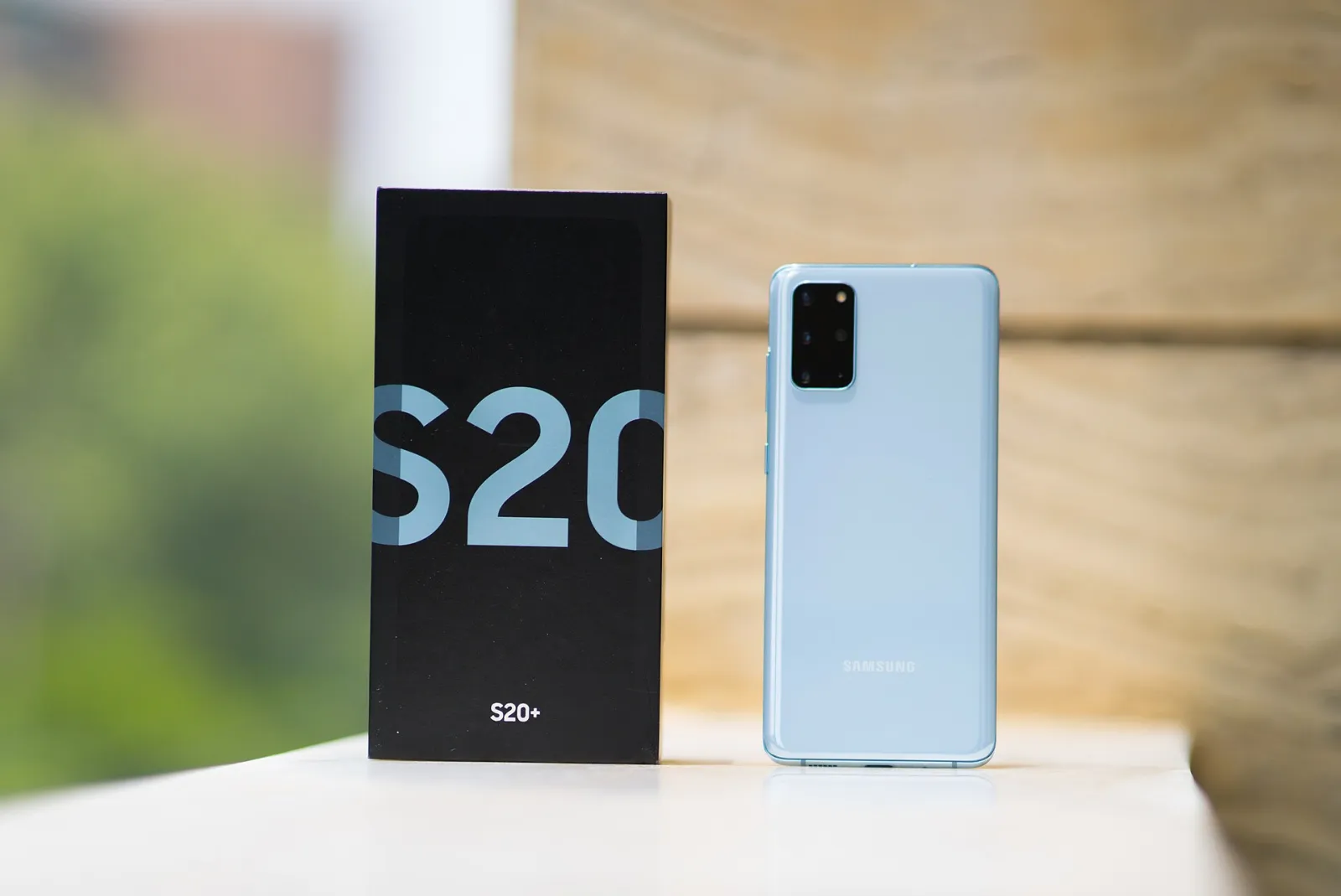
The website you're reading right now is not on AWS, not on Vercel and not on a Raspberry Pi. It runs on a Samsung Galaxy S20+ with a broken screen, lying in a drawer at my home in Vienna. In this post I'll show you exactly how I turned an old Android phone into a home server: no root, no open ports on my router, a real domain with HTTPS, a Next.js site, a PostgreSQL database and a few self-hosted tools on top. I'll also tell you what didn't work, because that part cost me more evenings than the rest together.

Why an old phone and not a Raspberry Pi?
Honestly, it started as a "can I?" question. The screen of my S20+ was cracked and repairing it would have cost more than the phone is worth. But everything else was fine, and when I looked at the specs I felt a bit silly about leaving it in a drawer:
| Galaxy S20+ (SM-G985F) | Typical Raspberry Pi 4 setup | |
|---|---|---|
| CPU | 8 cores, Exynos 990, 64-bit ARM | 4 cores, Cortex-A72, 64-bit ARM |
| RAM | 8 GB | 1–8 GB |
| Storage | 128 GB internal flash | microSD or USB SSD (extra) |
| Backup power | Built-in battery, works as a UPS | Needs a separate UPS HAT |
| Network | Wi-Fi 6 | Gigabit Ethernet, Wi-Fi 5 |
| Cost for me | €0, already owned | Board, case, power supply, storage |
A phone also brings its own uninterruptible power supply. When the power goes out for a minute, the server doesn't even notice. And it uses very little power at idle, because saving battery is what phones are built for.
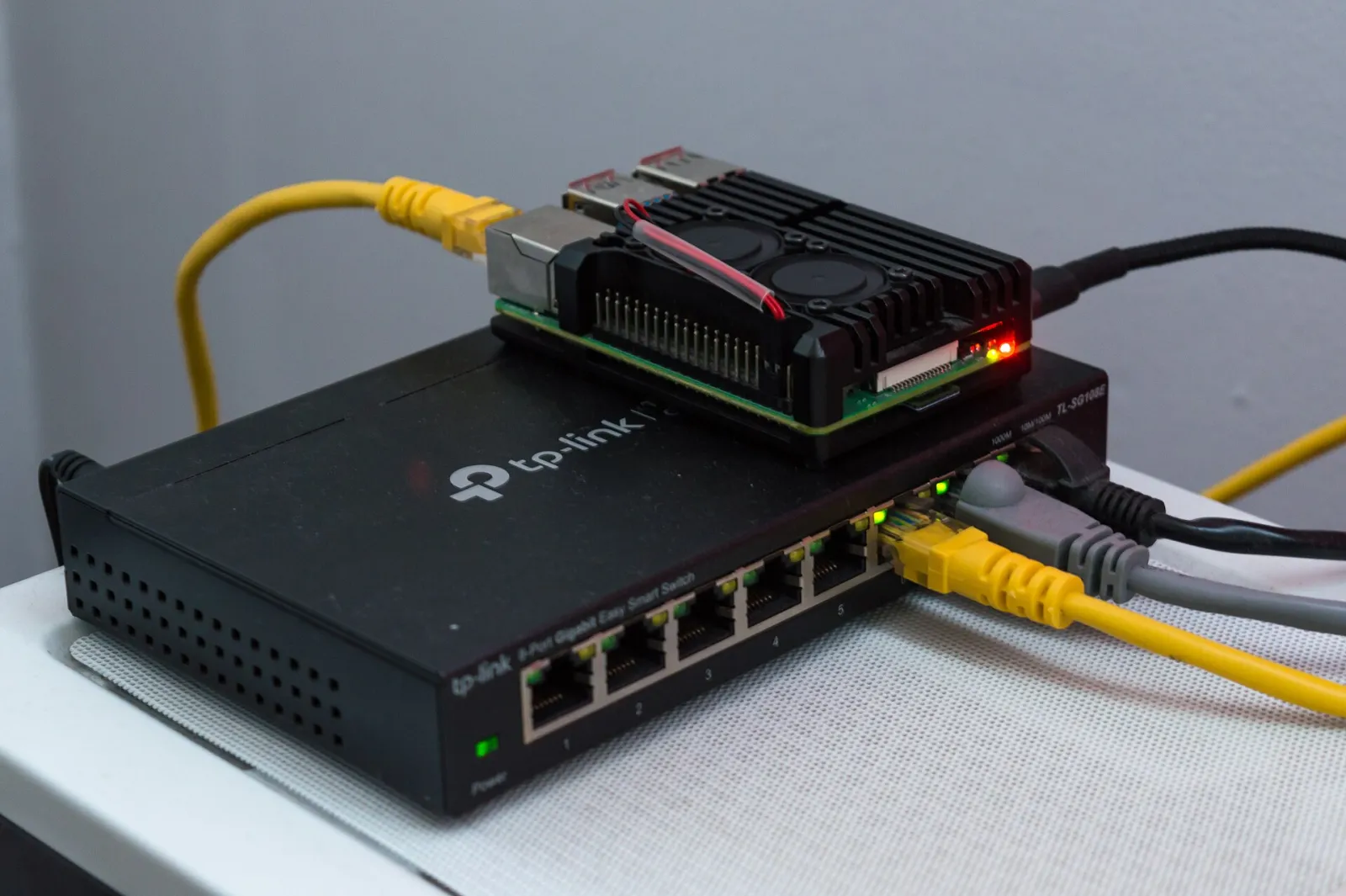

The downsides are real too, and I'll come back to them: Android is not Linux in the way a server distro is, there is no Docker, and the system really wants to kill anything that runs in the background for too long.
The architecture in one picture
Visitor ── HTTPS ──► Cloudflare edge (TLS, WAF, rate limiting)
                          │
                          │  outbound-only tunnel, no open ports at home
                          ▼
┌─────────────── Samsung Galaxy S20+ · Android 13 · Termux, no root ───────────────┐
│ cloudflared ──► Next.js blog        :3000   (udocker, node:22)                     │
│             ──► solar dashboard     :3001   (udocker, node:22)                     │
│             ──► Umami analytics     :3002   (udocker)                              │
│ PostgreSQL 18 on 127.0.0.1 · cron backups at 03:00 · sshd :8022 (LAN, key only)    │
│ Termux:Boot starts everything after a reboot                                       │
└────────────────────────────────────────────────────────────────────────────────────┘
The key idea: the phone opens a connection out to Cloudflare, and visitors come back in through that connection. My router has no port forwarding at all, my home IP is never exposed, and I don't need a static IP or dynamic DNS.
Step 1: get rid of the screen problem


With a broken touchscreen you can't do much on the device itself, so the first goal is to control it from your computer. If the touch layer still works partly, enable Developer options (tap "Build number" seven times) and USB debugging. Then scrcpy mirrors the screen to your laptop and lets you use mouse and keyboard:
brew install scrcpy
brew install --cask android-platform-tools
adb devices        # accept the prompt on the phone once
scrcpy             # the phone's screen in a window on your computer
After that, wireless debugging means you don't need the cable any more. From here on I never touched the phone again; everything happened over adb and later over SSH.
Step 2: install Termux (from F-Droid, not Google Play)
Termux gives you a real Linux userland on Android: a shell, a package manager and thousands of packages compiled for ARM. Install it from F-Droid or GitHub, because the Google Play version is old and doesn't get package updates. Install Termux:Boot from the same source; you'll need it to start everything after a reboot.
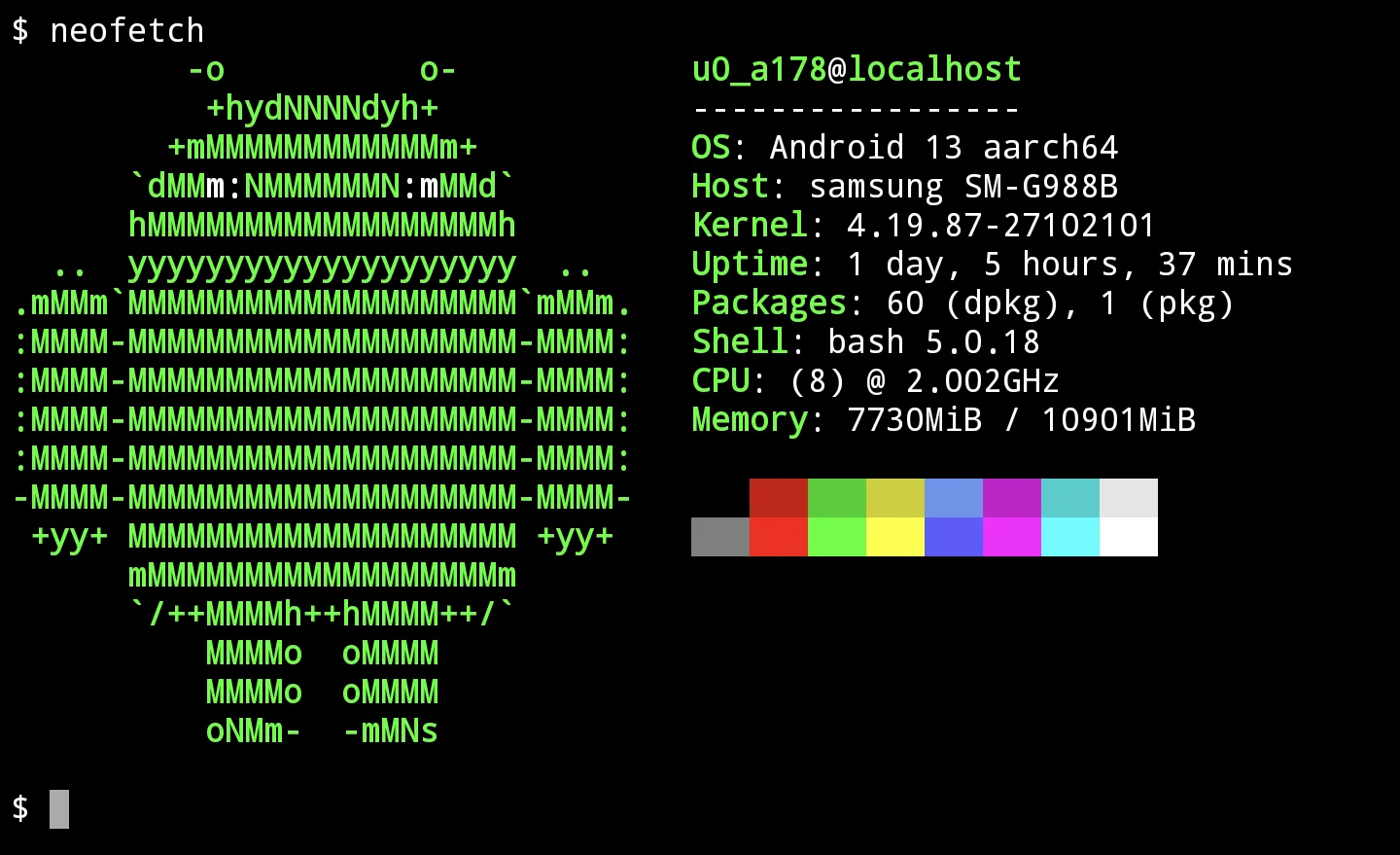

These are the packages my server runs on today:
pkg update && pkg upgrade
pkg install openssh rsync cronie termux-services postgresql cloudflared udocker
Step 3: SSH in and never use the phone keyboard again
Termux's SSH server listens on port 8022, and your user name is the Android app user (something like
u0_a123, check it with whoami). I copied my public key over and switched password login off:
# on the phone
sshd
# on the Mac
ssh-copy-id -p 8022 [email protected]
ssh -p 8022 [email protected]
Then set PasswordAuthentication no in $PREFIX/etc/ssh/sshd_config. SSH stays on the home network only; it's not
part of the tunnel.
Step 4: stop Android from killing your server
This was the first big surprise. Everything ran fine for a while, then the website was just gone. No error, no log line. Android 12 and newer have a phantom process killer that kills child processes of apps when there are "too many" of them, and a web server with a supervisor, a tunnel and a database is exactly that.
Three settings fixed it for me:
# from the computer, with adb connected (Android 12L/13)
adb shell "settings put global settings_enable_monitor_phantom_procs false"
# in Termux: keep the CPU awake while Termux runs
termux-wake-lockAnd in Android's settings: set Termux to Battery → Unrestricted, so it isn't put to sleep. On Android 14 and newer there's a switch in Developer options called "Disable child process restrictions" that does the same as the adb command.
Battery tip: a phone that's plugged in 24/7 is not great for the battery. On Samsung, turn on Protect battery so it stops charging at 85 %. If the battery ever starts to swell, take the phone out of service.
Step 5: run Node.js and Next.js with udocker
There is no real Docker on an unrooted phone, because Docker needs kernel features Android doesn't give apps.
udocker is the trick: it pulls normal Docker images and runs them with
proot, completely in user space. So my site runs in the official node:22 image, the same one I'd use anywhere
else:
udocker pull node:22-bookworm-slim
udocker create --name=nextjs node:22-bookworm-slim
udocker run -v ~/sites/main:/app -w /app nextjs \
    /bin/sh -c "PORT=3000 HOSTNAME=127.0.0.1 node server.js"
I don't build on the phone. The Next.js site uses output: "standalone", and a small deploy.sh on my Mac builds
it inside a linux/arm64 container with Podman (same CPU architecture as the phone), then rsyncs the result over
SSH and restarts it. A full deploy takes about as long as a coffee.
podman run --rm --platform linux/arm64 -v "$PWD:/src:ro" -v "$PWD/.out:/out" node:22-bookworm-slim \
    sh -c "cp -r /src /build && cd /build && npm ci && npm run build && cp -r .next/standalone/. /out/"
rsync -az --delete -e "ssh -p 8022" .out/ [email protected]:sites/main/
On the phone a tiny shell script supervises every site: it starts the process, writes its PID, and restarts it five seconds after it exits. Nothing fancy, but it's been enough.
udocker gotchas I hit
- Android doesn't allow hard links in app storage. Images that use them (anything installed with pnpm, for
example) fail in strange ways. I flatten such images on my Mac, export them as a single tarball and use
udocker import. - udocker skips every path that contains
dev/when it unpacks a layer, because it looks like a device folder. That broke Umami until I copied thosenode_modules/.../devfolders in by hand. - Not everything works under proot. I wanted OpenObserve for logs and traces, and it simply hung on start. I switched to a native Jaeger binary instead, which runs fine.
Step 6: PostgreSQL on Android
This is the easy part. PostgreSQL 18 is a normal Termux package and runs natively, no container:
initdb $PREFIX/var/lib/postgresql
pg_ctl -D $PREFIX/var/lib/postgresql -l ~/postgres.log start
createdb main
It only listens on 127.0.0.1. A cron job runs pg_dumpall every night at 03:00 and keeps 14 days of backups, and
every deploy from my Mac makes a fresh backup first and copies it off the phone. A server you can drop on the floor
needs backups that don't live on it.
Step 7: a real domain with HTTPS, without opening ports
Cloudflare Tunnel is what makes
this whole thing safe enough for me. cloudflared runs on the phone and keeps an outbound connection to Cloudflare.
Visitors talk to Cloudflare's edge (with its TLS certificate, WAF and rate limiting), and Cloudflare forwards the
request through the tunnel to localhost on the phone.
cloudflared tunnel login
cloudflared tunnel create phone
cloudflared tunnel route dns phone radionbalan.com
The config maps host names to local ports. Mine is generated by a script from one folder per site, so adding a new subdomain is one file and one command:
tunnel: <tunnel-id>
credentials-file: /data/data/com.termux/files/home/.cloudflared/<tunnel-id>.json
ingress:
  - hostname: radionbalan.com
    service: http://localhost:3000
  - hostname: solar.radionbalan.com
    service: http://localhost:3001
  - service: http_status:404
The last rule matters: any host name you didn't list gets a 404 instead of reaching something by accident.
Step 8: survive reboots with Termux:Boot
Phones reboot for updates, and sometimes for no reason. Termux:Boot runs every script in ~/.termux/boot/ once
Android has started. Mine is short:
#!/data/data/com.termux/files/usr/bin/sh
termux-wake-lock
pg_ctl -D "$PREFIX/var/lib/postgresql" -l "$HOME/sites/postgres.log" start
crond
$HOME/bin/site start-all
sleep 20
$HOME/bin/tunnel
Open the Termux:Boot app once after installing it, otherwise Android never lets it run.
What runs on the phone today
| Service | What it is | How it runs |
|---|---|---|
| radionbalan.com | This blog, Next.js 16 | udocker, node:22 |
| solar.radionbalan.com | Private dashboard for my solar inverter and heat pump, reads the inverter over Modbus TCP every 10 s | udocker, node:22 |
| stats.radionbalan.com | Umami, cookieless analytics | udocker, flattened image |
| Jaeger | OpenTelemetry traces, local only | native binary |
| PostgreSQL 18 | Data for solar and Umami | native Termux package |
| Status page | Small Python page with security checks and backups, local only | native Python |
The solar dashboard is my favourite part. The phone sits on the same Wi-Fi as my Huawei inverter, so it reads production data directly from the house, stores it in PostgreSQL and shows it on a page I can open from anywhere. If you're into that, I wrote about heating with surplus solar using an ESP32.
Security: what I did and why
Running a public website from your living room sounds scary, so here's the checklist I settled on:
- No open ports on the router. All traffic comes through the Cloudflare tunnel.
- Unknown host names return 404 in the tunnel config.
- Every service listens on 127.0.0.1, never on the Wi-Fi interface, except SSH.
- SSH is key-only and only reachable on the home network.
- Admin tools without login (Jaeger, the status page) are not in the tunnel at all. I reach them with an SSH
port forward like
ssh -p 8022 -N -L 16686:127.0.0.1:16686 [email protected]. - Secrets live in
.envfiles on the phone and never in Git. - Backups leave the device on every deploy.
Is it fast enough?
For a personal website, yes, easily. The pages are static or close to it, Cloudflare caches the assets, and the phone mostly serves HTML. The heavier work (the build) happens on my Mac. The one thing you notice is that udocker adds overhead, because proot intercepts system calls; CPU-heavy work inside a container is slower than it would be natively. For a blog, a small dashboard and analytics with my traffic, the phone has plenty of headroom.
Limitations, honestly
- It's a single device. If the phone dies, the site is down until I restore it on another one. That's why the backups and the deploy script matter more than any tuning.
- No real Docker or Docker Compose. udocker covers a lot, but some images need work and some don't run at all.
- Android updates can change the rules. Every new version tightens background limits a bit more.
- Home internet upload speed is your bandwidth limit. For text and a few images that's fine; for video it isn't.
- Remote admin needs extra work. Right now I deploy from home; SSH through the tunnel is next on my list.
FAQ
Can you use an old Android phone as a server without root?
Yes. Everything in this post runs without root: Termux for the Linux environment, udocker for containers, native packages for PostgreSQL and cloudflared. Root would make some things easier, but it's not needed.
Can I run Docker on Android?
Not the real Docker daemon on a normal unrooted phone, because it needs kernel features apps can't use. udocker runs most Docker images in user space instead, with some limits (no hard links, slower system calls).
How do I make my phone server reachable from the internet?
Use a tunnel, such as Cloudflare Tunnel. The phone connects out, so you need no port forwarding, no static IP and no dynamic DNS, and your home IP address stays private.
Will running a server damage the phone's battery?
Being on the charger all the time ages a battery faster. Limit the charge to 85 % (Samsung calls it Protect battery), keep the phone somewhere cool, and check it from time to time for swelling.
What can I host on an old phone?
A static or Next.js website, a small API, a database, analytics like Umami, home automation dashboards, a Git mirror, or a file sync service. Anything light that doesn't need special kernel features.
Conclusion
Turning an old Android phone into a home server took me two evenings for the basics and a few more for the annoying details: phantom process killer, udocker's quirks and making sure everything comes back after a reboot. In return I got a quiet, low-power server with a built-in UPS that cost me nothing, serves a real domain over HTTPS and doesn't expose my home network. If you have a phone with a broken screen in a drawer, give it a second life. Worst case, you learn a lot about Linux, Android and networking. Best case, you're reading its output right now.